2026 Best Ways to Monitor Hybrid Inverter Data on Mobile?

Time:2026-09-23 Author:Henry
0%

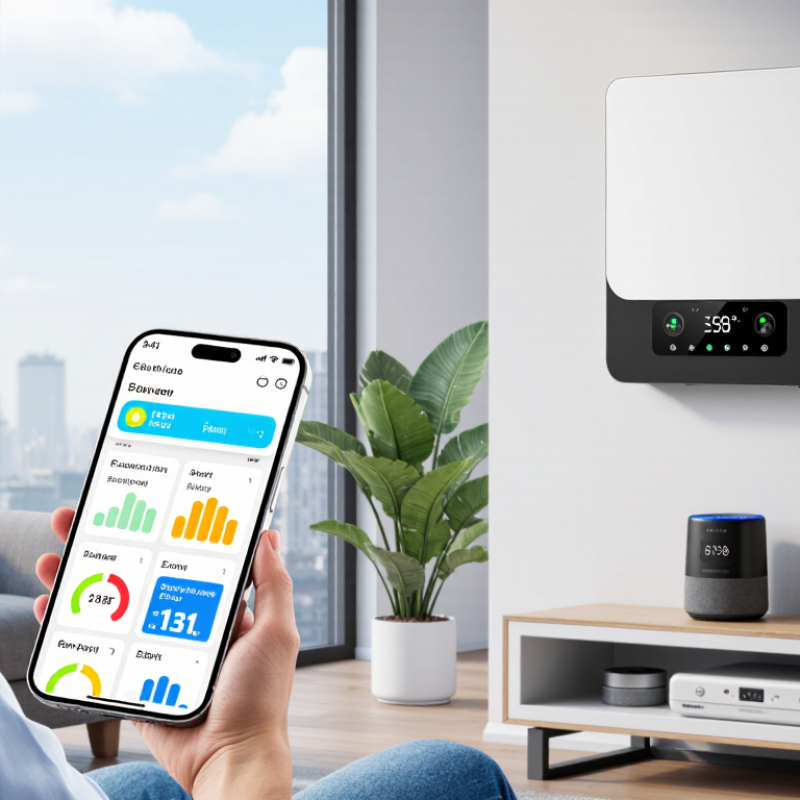
Hybrid inverters quietly manage solar production, battery charging, household demand, and grid exchange. Their data deserves more than an occasional glance at the wall-mounted display. This guide explores how to monitor hybrid inverter data through a mobile application, even when your energy system operates across changing weather and shifting electricity prices.

Dr. Imre Gyuk, a respected energy-storage specialist at the U.S. Department of Energy, has said, “Energy storage is the bridge between supply and demand.” That bridge becomes easier to understand when a mobile application shows battery state of charge, solar generation, load consumption, grid import, and export in near real time. A clear dashboard can reveal a battery draining too quickly at night. It can also expose unusual standby consumption before it becomes expensive.

Reliable monitoring requires more than a colorful graph. Users should check whether the app receives accurate inverter data, records historical trends, and sends useful alerts. A weak internet connection can create misleading gaps. Firmware differences can also affect the displayed values. These details are easy to overlook.

Security matters as well. Choose official applications, strong passwords, and verified account access. Avoid public Wi-Fi when changing system settings. Small precautions help protect valuable equipment and personal energy data.

The process is not always perfect. Readings may lag. Some apps feel confusing. Yet consistent observation builds practical experience. A five-minute check each evening can show whether your system is saving energy or simply shifting the problem.
2026 Best Ways to Monitor Hybrid Inverter Data on Mobile?

Understanding the Data Produced by a Hybrid Inverter

Hybrid inverters produce more than a daily energy total. They record DC voltage, DC current, AC output, battery state of charge, temperature, grid exchange, and fault events. Together, these readings explain what happens behind the household meter. A mobile dashboard can reveal a sudden output drop at 10:35 a.m., even when the monthly bill looks normal. The IEA PVPS Trends 2024 report states that global photovoltaic capacity exceeded 1.6 terawatts in 2023. That scale makes accurate operational data increasingly important, not optional.

Good monitoring compares related values. High sunlight with weak DC power may indicate shading, soiling, or a connection problem. A battery showing 100% charge while export remains unusually high may reflect charging limits or poor settings. NREL’s photovoltaic operations and maintenance guidance recommends reviewing alarms, performance trends, and system conditions together. Do not trust one screenshot. Data intervals can also mislead; five-minute readings may miss a brief voltage event.

Tips: Check the dashboard at similar times each week. Record weather, battery temperature, and grid status beside the readings. Set alerts for repeated faults, not one isolated warning. The mistake I still see is treating efficiency as a fixed number. It changes with load, temperature, and battery direction. Mobile access is useful, but interpretation requires patience.

Choosing the Right Mobile Monitoring Method in 2026

Choosing the Right Mobile Monitoring Method in 2026

Hybrid inverter monitoring now involves more than checking daily energy totals. The right mobile method should match the system’s location, internet access, and user needs. A cloud dashboard suits homeowners who want remote alerts and historical charts. A local web interface works better where internet service is unreliable. Some systems support both, which is useful during maintenance.

During field checks, I look for five practical details: update speed, alarm clarity, data ownership, access control, and offline behavior. A five-minute delay may be acceptable for household trends, but it can hide a sudden battery fault. Clear alerts should identify the device, time, and possible cause. Role-based access also prevents casual users from changing critical settings. Security matters. Use strong passwords, encrypted connections, and updated firmware.

Simple is often safer.

Technicians may prefer an app with detailed voltage, current, temperature, and state-of-charge readings. Homeowners may need only production, battery level, and fault notifications. An open data interface can help advanced users connect approved energy-management tools, but setup errors remain common. I once trusted a mobile alert without checking its time zone, and the delayed message caused confusion during testing. That small mistake changed my checklist: confirm timestamps, compare mobile readings with the inverter screen, and test alarms under controlled conditions. No method is perfect. Choose the one you can verify regularly, understand clearly, and maintain securely.

2026 Best Ways to Monitor Hybrid Inverter Data on Mobile

Choosing the Right Mobile Monitoring Method in 2026

This representative seven-day profile for a residential hybrid inverter compares daily solar production and household consumption with the average battery state of charge. Cloud-based mobile apps are suitable for remote access and historical analysis, while local web dashboards or gateway connections are better when low-latency monitoring is required.

Connecting the Inverter to a Mobile Monitoring Platform

Connecting a hybrid inverter to a mobile monitoring platform turns scattered electrical data into practical decisions. Use the inverter’s Wi-Fi, Ethernet, or cellular gateway to send readings to a secured cloud account. Track battery state of charge, solar production, grid import, load demand, and fault codes. The International Energy Agency’s Renewables 2024 report expects solar and wind to provide about 30% of global electricity by 2030. Better visibility will become essential as systems grow more complex.

During installation, record the inverter serial number, battery capacity, firmware version, and communication method. Set the correct time zone first. Incorrect timestamps can distort daily energy comparisons. A useful mobile dashboard should show live power, historical curves, and exportable data. It should also deliver alerts for low battery voltage, communication loss, overheating, and abnormal grid behavior. NREL’s photovoltaic operations guidance recommends monitoring performance, availability, and fault trends instead of relying on occasional site visits. That advice applies well to residential hybrid systems.

Tips: Place the communication gateway away from metal cabinets and thick concrete walls. Test the signal beside the inverter. Use unique passwords and multi-factor authentication. Review alerts weekly, not only after a failure. The first pairing may not be perfect. A short offline period can also reveal weak network coverage. Do not ignore small deviations; a gradual production decline often matters more than one dramatic warning. Keep monthly screenshots or downloaded reports for maintenance records and warranty discussions. Use reputable platform documentation, and verify readings with a calibrated meter when results appear unusual.

Configuring Real-Time Alerts and Performance Reports

A mobile dashboard makes hybrid inverter data useful beyond the equipment room. Configure it to show battery charge, solar production, grid exchange, load demand, and inverter temperature. Clear labels matter when checking readings during a busy day. Small delays can also mislead you. Confirm the device time, network status, and data refresh interval before trusting an alert.

Real-time alerts should focus on decisions, not noise. Set separate thresholds for low battery, high temperature, grid failure, overload, and unusual nighttime consumption. Use different notification levels for warnings and urgent faults. A low-battery alert at 30% may protect evening loads, while a critical alert at 15% requires faster action. Test every alert after configuration. I once found that a correct threshold still failed because notifications were muted on the phone.

Performance reports reveal patterns that a single reading cannot show. Review daily and weekly charts for solar yield, battery cycles, peak demand, and standby losses. Compare similar weather days rather than judging one cloudy afternoon. Export reports regularly, then record maintenance actions beside unusual results. This creates a more reliable history for technicians and household decisions. The system may look efficient, but unexplained battery drain deserves investigation. Some reports are imperfect. Sensor errors, missing data, and brief connection gaps can distort conclusions. Recheck the raw readings before changing operating settings.

Protecting Mobile Access and Improving Monitoring Accuracy

Hybrid inverter data is now checked from kitchens, rooftops, and airport lounges. Mobile access must be convenient, but convenience cannot replace control. The IEA Renewables 2024 report projects renewable power capacity will expand by 5,500 GW between 2024 and 2030. More distributed systems mean more mobile dashboards, accounts, and data points to protect.

Use unique passwords, multi-factor authentication, and role-based permissions for every user. Avoid shared installer accounts. Disable access when staff or contractors leave. The Verizon 2024 Data Breach Investigations Report found that 68% of breaches involved a non-malicious human element, including mistakes and privilege misuse. A short session timeout can prevent a forgotten phone from exposing production data. Device encryption matters too.

Accuracy needs equal attention. Compare mobile readings with inverter logs, smart meters, and weather conditions. A sudden output drop may indicate shading, cloud cover, sensor drift, or a communication failure. Do not treat every alert as a hardware fault. Check timestamps, time zones, and data gaps before making a service decision. Small errors accumulate.

Independent review helps. The NIST Cybersecurity Framework 2.0 recommends identifying, protecting, detecting, responding, and recovering from risks. Apply that cycle to mobile monitoring, not only office networks. Keep firmware and applications updated through verified channels. I still find teams trusting a green dashboard icon too quickly. It signals availability, not necessarily accuracy. Human review remains necessary.

2026 Best Ways to Monitor Hybrid Inverter Data on Mobile? - Protecting Mobile Access and Improving Monitoring Accuracy

Monitoring Dimension Mobile Data to Track Recommended Update Interval Accuracy or Security Control Practical Alert Threshold Mobile Monitoring Benefit
Solar generation PV power, daily energy, cumulative energy, array voltage and current 5–15 minutes for normal viewing; faster for fault events Compare output with irradiance, weather, and historical production for the same time window Notify when output remains more than 20% below the expected profile for 30 minutes Identifies shading, soiling, wiring, or string-level performance problems remotely
Battery state of charge State of charge, battery voltage, charge current, discharge current, and battery temperature 1–5 minutes during charging or discharging; 15 minutes at rest Use battery-management-system data and verify that current direction and timestamps are consistent Warn below the configured reserve level, commonly 20–30%, or above the approved temperature range Reduces unexpected backup-power loss and supports safe energy scheduling
Grid exchange Grid import, grid export, grid voltage, frequency, and phase status 1–5 minutes for power flow; immediate notification for grid loss Use a calibrated meter and confirm that import and export values are not reversed Alert when voltage or frequency leaves the inverter’s configured operating range Shows whether the system is self-consuming, exporting, or relying on the grid
Load consumption Real-time load power, daily consumption, peak demand, and essential-load supply 1–5 minutes for live demand; 15–60 minutes for energy summaries Match meter readings with inverter output and battery power using synchronized timestamps Notify when demand exceeds the backup-load rating or a user-defined peak level Helps prevent overloads and reveals appliances that drive unnecessary consumption
Operating mode Self-consumption, backup, battery-first, grid-support, standby, and fault mode Refresh within 1–5 minutes; push notifications for mode changes Record every mode transition with a timestamp and retain the event history Alert when the system enters standby or fault mode unexpectedly Makes abnormal behavior visible without requiring local access
Efficiency and losses PV-to-load efficiency, battery round-trip efficiency, conversion losses, and standby consumption Daily calculation with monthly trend analysis Calculate from synchronized energy meters rather than adding instantaneous power values Investigate a sustained efficiency decline of 5–10 percentage points from the baseline Separates normal conversion losses from possible equipment or measurement faults
Temperature and ventilation Inverter temperature, battery temperature, heat-sink temperature, and fan status 1–5 minutes under high load; 15 minutes under light load Use calibrated sensors and distinguish ambient temperature from internal component temperature Alert at the equipment manufacturer’s warning level or after an abnormal rapid rise Provides early warning of blocked airflow, high ambient heat, or excessive loading
Fault and event history Fault codes, warnings, grid interruptions, restart events, and protection trips Immediate push notification; retain at least 30 days of event history Use human-readable codes, local time plus UTC, and duplicate-event filtering Escalate repeated faults, such as three occurrences within 24 hours Shortens troubleshooting time and supports evidence-based maintenance
Connectivity quality Last successful sync, signal strength, data latency, packet loss, and offline duration Check every 1–5 minutes; calculate daily availability Display the last valid timestamp and flag stale data instead of showing zero output Alert after 15 minutes without a valid update, with a higher-priority alert after 1 hour Prevents communication failure from being mistaken for an energy failure
Mobile access protection Login history, active sessions, user roles, device list, and account changes Review on every login; audit account activity at least monthly Use multi-factor authentication, unique passwords, least-privilege roles, encryption in transit, and current software Notify on a new device, failed-login burst, privilege change, or unusual location Reduces the risk of unauthorized monitoring or control of the energy system
Data quality and reporting Completeness, duplicate records, timestamp consistency, sensor gaps, and daily totals Validate after each data upload; summarize quality daily Use a consistent time zone, clear units, meter calibration records, and a defined missing-data rule Flag completeness below 95% or a daily energy difference above 5% between meters Improves trust in mobile dashboards, comparisons, and maintenance decisions

Note: Alert limits should be adjusted to the inverter, battery, electrical installation, local grid requirements, and site safety procedures. All mobile dashboards should display the measurement unit, timestamp, data status, and whether a value is measured, estimated, or unavailable.

FAQS

What data does a hybrid inverter mobile dashboard show?

It can show DC voltage, DC current, AC output, battery charge, temperature, and grid exchange. It may also record fault events. These readings reveal what happens behind the meter.

Why should I compare several readings together?

Related values provide better clues. Strong sunlight with weak DC output may suggest shading, dirt, or a loose connection. One number can mislead.

How often should I check the monitoring dashboard?

Check it at similar times each week. Record weather, battery temperature, and grid status beside the readings. A simple notebook helps.

Can five-minute data intervals miss a problem?

Yes. A short voltage event may disappear between two readings. Faster updates are useful during testing. They are not always necessary for routine trends.

Which mobile monitoring method suits a home system?

A cloud dashboard supports remote alerts and historical charts. A local interface works better with unreliable internet. Supporting both methods offers useful backup.

What should a useful alert include?

It should identify the device, time, and possible cause. Repeated warnings deserve attention. One isolated alert may not indicate hardware failure.

How can mobile monitoring access stay secure?

Use unique passwords, multi-factor authentication, and separate user permissions. Avoid shared accounts. Update firmware and applications through verified channels.

How can I check whether dashboard data is accurate?

Compare mobile readings with inverter logs, smart meters, and weather conditions. Check time zones and data gaps. A green status icon only shows availability, not accuracy.

What common mistake affects monitoring decisions?

Treating efficiency as a fixed number causes confusion. Efficiency changes with load, temperature, and battery direction. I once trusted a delayed alert without checking its time zone. That mistake still influences my checklist.

Conclusion

Monitoring hybrid inverter data on a mobile device helps users understand energy production, household consumption, battery status, grid exchange, and system efficiency wherever they are. This guide explains how to monitor hybrid inverter data through a mobile application by selecting a suitable monitoring method, connecting the inverter securely to the platform, and checking whether data is updated accurately and consistently. It also highlights the importance of understanding each measurement so users can identify unusual performance and make better energy decisions.

The article further covers how to configure real-time alerts for issues such as low battery levels, communication interruptions, or unexpected power changes. Scheduled performance reports can reveal long-term trends and support easier system maintenance. Finally, it emphasizes protecting mobile access with strong passwords, secure connections, controlled user permissions, and regular software updates, while comparing mobile readings with inverter data to improve monitoring accuracy and reliability.

Henry

Henry

Henry is a dedicated marketing professional with a profound expertise in the company's offerings. With years of experience in the industry, he possesses an impressive understanding of the market dynamics and consumer behaviors that drive success. Henry is committed to sharing his insights through......